
Originally Posted on LinkedIn: https://www.linkedin.com/pulse/vba-gateway-code-jeremiah-vanderlaan
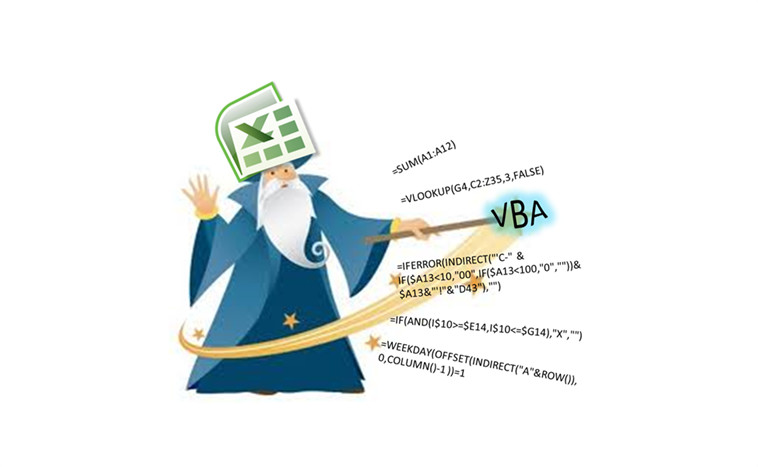
Amongst my colleagues I am lightheartedly referred to as the “Excel Wizard.” I tackle programming and spreadsheet solutions across all departments of the company, acting as an Excel consultant determining if a spreadsheet could accomplish an array of wish list items. However, I have never formally been trained in Excel. A skill such as this is generally assumed knowledge and is something that develops out of necessity.
I am a structural engineer and during my years at university, general knowledge of Microsoft Office was a must, especially when it came to group projects. But it was surprising how many of my peers did not know how to effectively use the Office suite, particularly Excel. Excel knowledge was an assumed skill that was required for almost every project and lab report in order to manage and analyze large data sets.
It wasn’t until I started working at my current job that I discovered VBA. One of the engineers at the office shared with me a spreadsheet that could rename a batch of files. It was obvious that this spreadsheet was using more than just Excel functions, so I investigated. This began my journey into the world of VBA.
VBA, or Visual Basic for Applications is a programming language that is built into Microsoft Office, allowing you to control various functions and programs. Many of you reading this are probably underwhelmed at this point, as you were expecting VBA to be some sort of computing magic, well it is in fact just that. The ability to control Excel programmatically, releases the limitations standard users will encounter. The limits of the software are now only bound by the imagination of the user . . . well sort of.
VBA will allow you to create macros inside of Excel that can execute a block of code. These macros can be triggered by buttons, hotkeys or even off certain events. This block of code can be used to control whatever the author wants, adding in a much larger library of possibilities for Excel. The most common advantage I have used is the ability to program in loops with conditional statements. Excited yet? It gets better.
With VBA you can create custom functions that operate in the exact same way as the built-in functions. For example, the function =SUM(A1:A3) will simply return the sum of all the numbers in cells A1, A2 and A3. However, you can now create a function just like =SUM() but you can have it do anything you want it to do, and you can specify the input parameters. So next time you are frustrated because your search through the excel function library came up dry, you can now write your own functions to do exactly what you need.
The title of this article refers to VBA as the “gateway” code. I have labelled it as such because it is the perfect programming language for beginners, especially if they have a solid understanding of basic Excel. The syntax of VBA is fairly intuitive and reads similar to the English language. And, if you are having trouble writing code you can ask Excel to “record” you performing a task and it will spit out the VBA code to do that exact task. This is extremely useful for beginners as it will instantly produce code which they can then look at and learn from. If that is not enough, VBA is extremely well documented all over the internet. My internet history is littered with searches of “Using Excel VBA how do I . . .” and nine times out of ten I would get the answer within the first two Google results. VBA introduces the basic concepts of programming syntax by building on regular Excel skills. The progression from Excel to VBA is a shallow learning curve and simple VBA functions can be created early on which is encouraging to the beginner and keeps them excited. I have now ventured into other programming languages with a solid understanding of basic programming principles which I have learned through my experience with Excel and VBA.
The power and beauty of extensive Excel knowledge is that it is extremely versatile. It is not limited to the engineering industry and it is useful across a variety of careers. I encourage anyone who is interested in learning programming to consider starting with VBA. If you already have Microsoft Office, you don’t need any other software. Mostly everything I know on the subject has been self-taught, but it has allowed me to stand out as an employee, contribute more as a team member, and show my ability to take initiative.
If you are looking to get started with VBA within Excel consider the following link: https://msdn.microsoft.com/en-us/library/office/ee814737(v=office.14).aspx